GuidesYour store
Sell books, courses, memberships and downloads
Digital products reach buyers the moment they pay, with nothing to pack or ship.
5 min read · Updated 8 November 2026
Digital products never run out and need no delivery. When a buyer pays, the files go into a private library linked from their receipt, and any links or instructions are emailed to them. Your sales agent can share the access details in the chat once payment is confirmed.
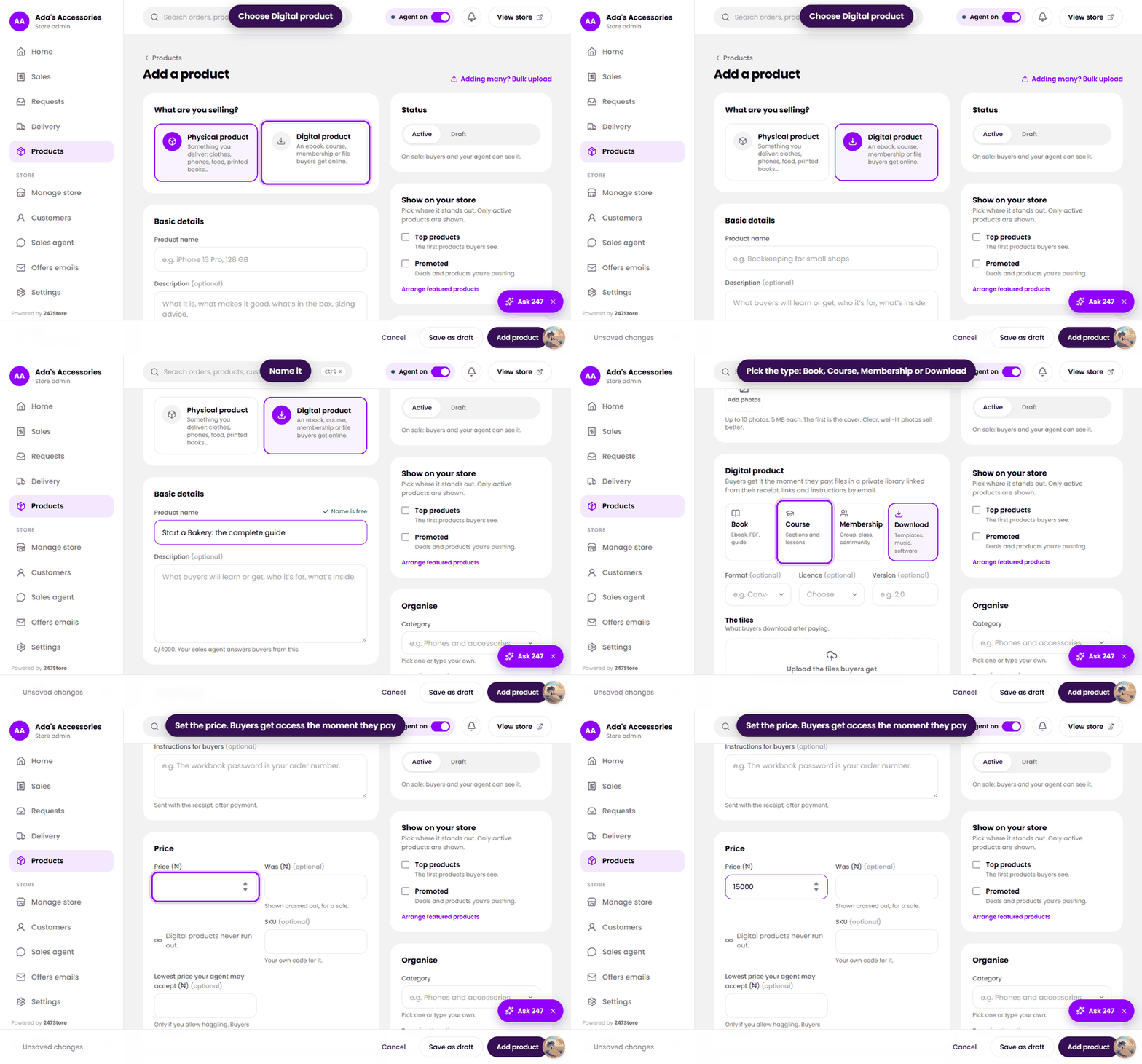
Choose a type
- Book. An ebook, PDF or guide. Upload the book files and, if you like, a free sample.
- Course. Sections and lessons. Each lesson can be an uploaded video, audio or PDF, a text lesson, or a link. Mark any lesson as a free preview. Buyers get a course page with their progress.
- Membership. A group, class or community. Buyers get your join link and instructions after paying. Payment is one-off, for lifetime access or for a fixed period.
- Download. Templates, music, software and other files, with an optional licence and version.
Add one
- Open Products, press Add product, and choose Digital product.
- Enter the name and description, and add a Cover image, such as a book cover or course thumbnail.
- Choose the type: Book, Course, Membership or Download.
- Upload the files buyers get (PDF, EPUB, ZIP, MP3, PSD and more, up to 200 MB each), or add a link if the file lives elsewhere such as Google Drive or Dropbox.
- Optionally add a Free sample (up to 3 files) that anyone can download before buying.
- Write the Instructions for buyers. They are sent with the receipt, after payment.
- Enter the price and press Add product.
Read next
Still stuck? Write to support.