GuidesSell and get paid
Verify your identity
A two-minute check with your BVN and a selfie, needed before you can take paid orders.
3 min read · Updated 8 November 2026
Identity verification protects buyers and sellers. You do it once, and it unlocks paid orders and payouts. Your store can be live and answering questions before then.
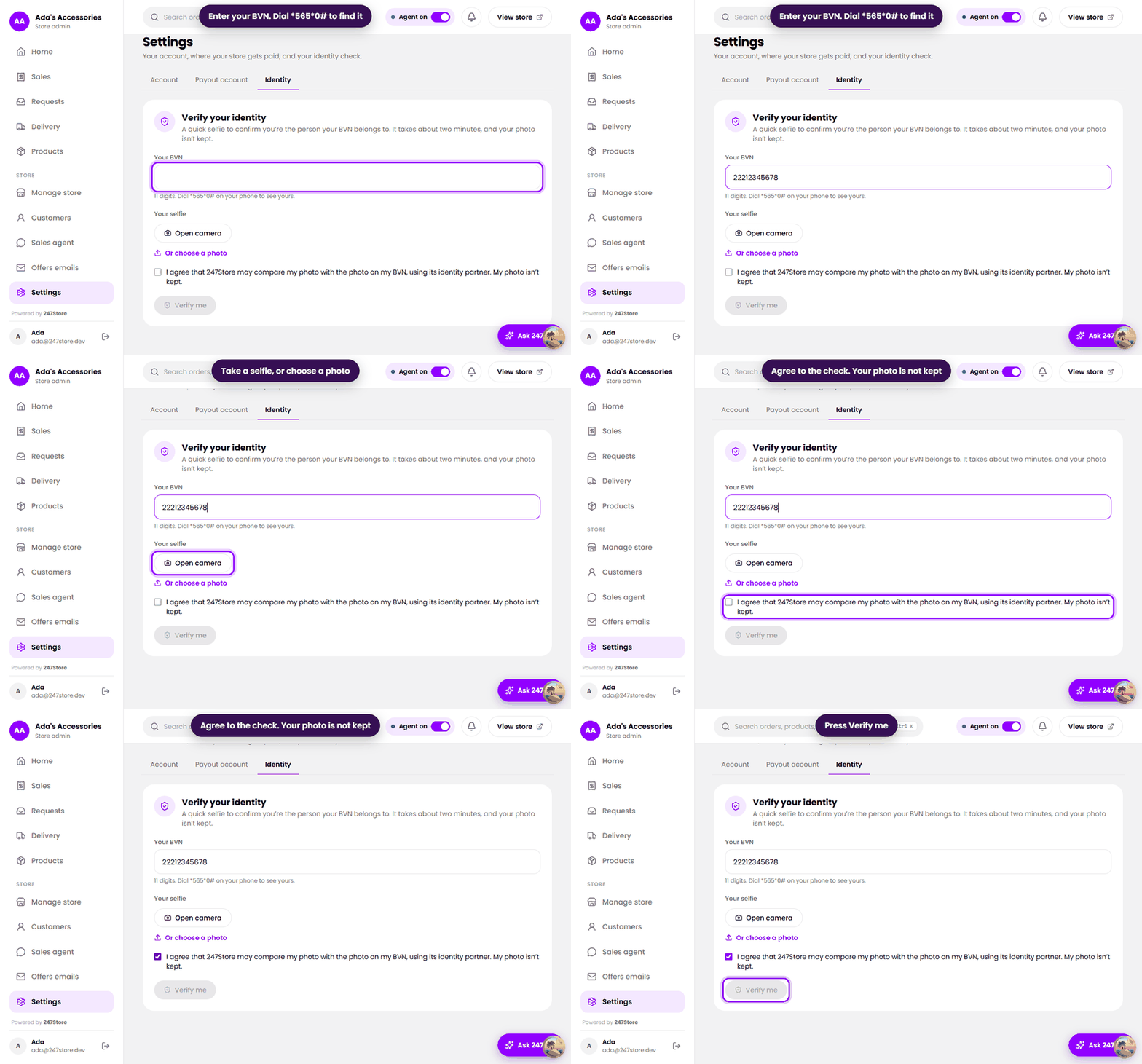
How to do it
- Open Settings and choose the Identity tab.
- Enter your BVN, 11 digits. If you do not know it, dial
*565*0#on the phone number linked to your bank. - Take a selfie: press Open camera, or choose a photo.
- Tick the box to agree that 247Store may compare your photo with the photo on your BVN, using its identity partner.
- Press Verify me.
What we keep
- Your selfie is not kept. It is used for the comparison and discarded.
- We keep the last four digits of your BVN, the name on it, the result of the check, and when and how you agreed.
Read how we handle your data in the Privacy Policy.
Read next
Still stuck? Write to support.